A pipeline is a list with columns
"Sales pipeline" sounds like something for a sales department. For a contractor it is one board: each customer is a card, each column is the step they are on. A whiteboard or a spreadsheet will do. Five columns are enough to start:
- New lead: they asked, nobody has been out yet.
- Visit booked.
- Estimate in progress.
- Estimate sent: waiting on the customer.
- Signed.
Watch how long, not only where
The column says where a customer is. The useful number is how long they have been there. An estimate sent yesterday needs nothing from you. One sent two weeks ago needs a call today.
Once a week, read the "sent" column from top to bottom. For each card do one of three things: call, write down the date of the next call, or mark it lost and note why. "Too expensive" and "went quiet" are different problems, and after a few months the reasons show you what to fix.
How it works in WorkTime CRM
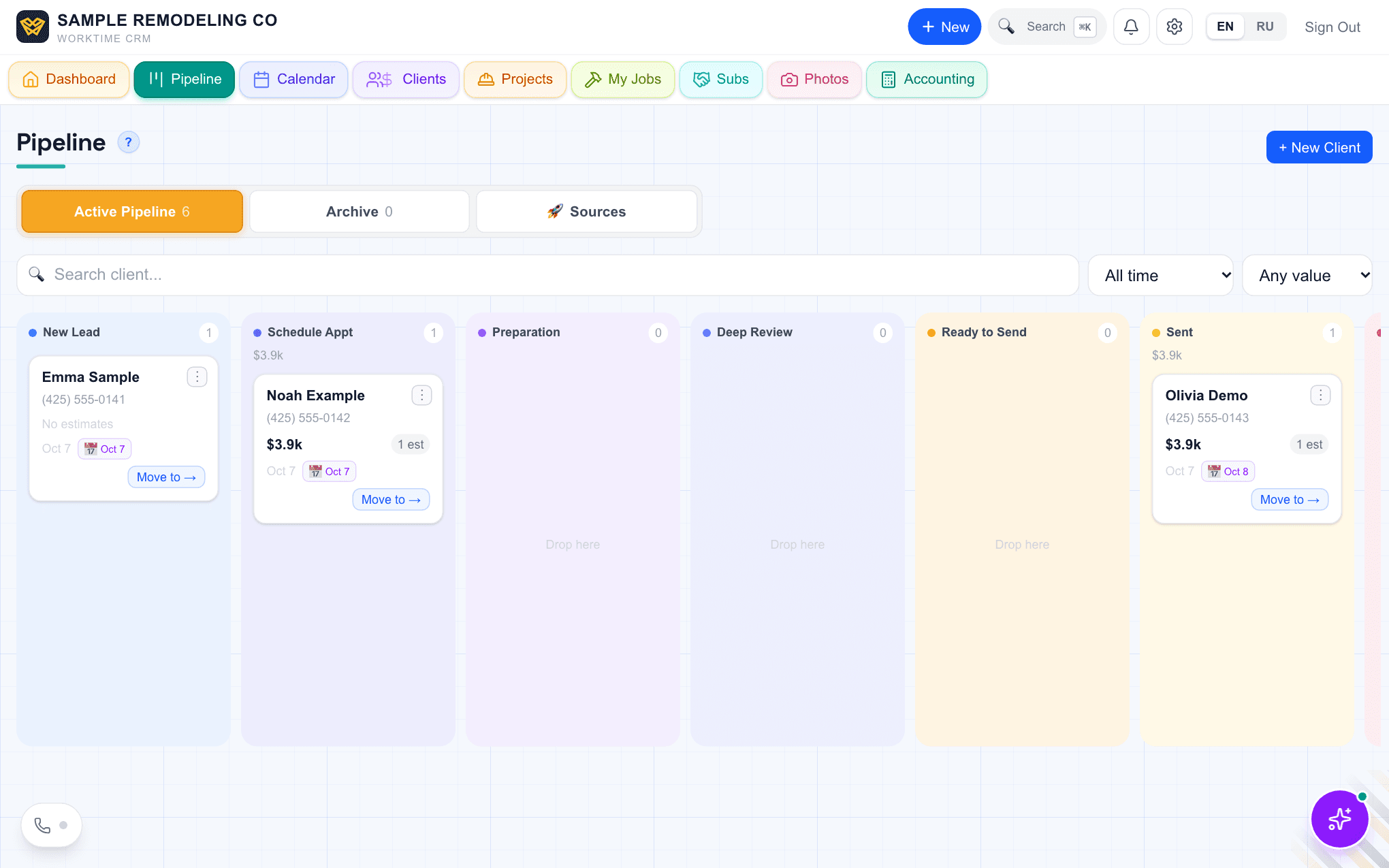
The Pipeline is that board, and most cards move without you. Put a visit on the calendar and the client goes to Schedule Appointment; when the visit is over, to Preparation. Save an estimate and they are in Ready to Send. Send it, by email or by a text with the estimate link, and the card moves to Sent right away. The first time the client opens the estimate they become a Hot Client, and their signature moves them to Approved. A card only ever moves forward by itself, and you can drag any card where you want it (on a phone: "Move to →").
Each card shows the phone, the value of the open estimate, the next event and a "days in stage" badge: grey under a week, amber from 7 to 14 days, red after two weeks. Each column shows the sum of its open deals. Whether an estimate was opened, and how many times, is on the Estimates list.
Move a client to Rejected and the CRM asks why: too expensive, went with another contractor, postponed, financing fell through, ghosted. Pick a reason and reminders to come back to that client land on the Calendar, timed to the reason. The Sources tab on the same page counts leads by where they came from.