Three rules that work with any calendar
You do not need a special tool for this. You need three habits, kept every day:
- Every promise gets a date and a time. "I'll call you next week" is written down as a call on a day, not kept in your head.
- One calendar for the whole company. If the foreman, the office and you each keep your own, Thursday at 10 AM will be promised twice sooner or later.
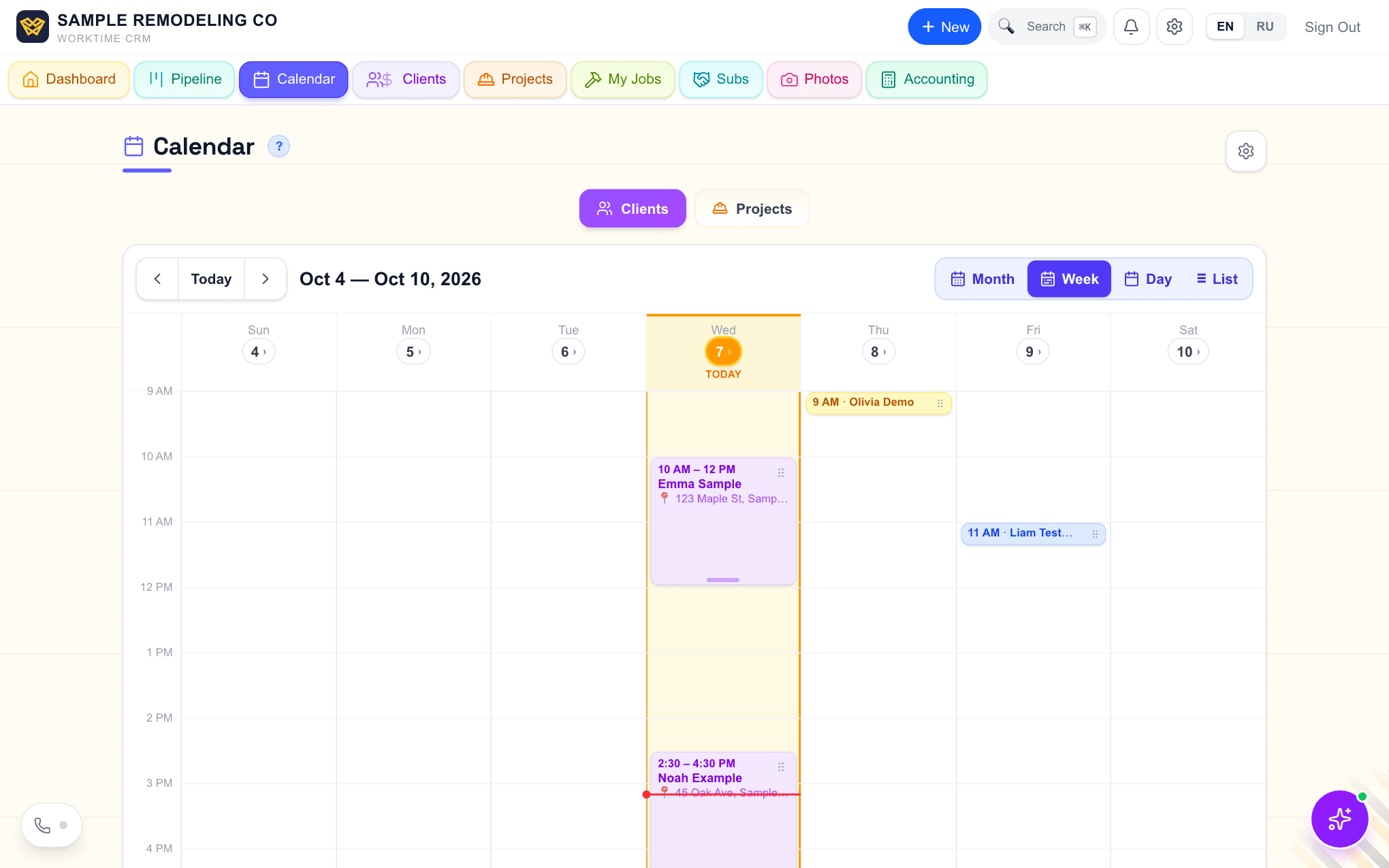
- A visit takes hours, not a minute. Put the real length on it, drive included. An estimate visit drawn as a dot at 10 AM is how 10:30 AM gets booked.
Overdue? Close it or move it
Look at the overdue list once a day. For each item there are only two honest choices: do it now and mark it done, or move it to a real date. Leaving it red for a month means it will never happen, and the red pile hides the one call that still matters.
Say what the next step is when you close something. "Called, no answer" is not an end. "Call again Thursday" is.
How it works in WorkTime CRM
The Calendar is one for the whole company: whoever adds an entry, the owner or a team member, it lands on the same calendar, and it shows on the Dashboard and the Pipeline too. Every entry has a type: Call, Meeting, Work, Follow-up, Estimate, Deadline or Reminder. Tap empty space on the hour grid to add a visit at that time, and drag a visit to move it. Two things in the same hour are drawn side by side, so a double booking is visible before anyone leaves the office.
Open an entry and the buttons are right there: Call, SMS, Email, Directions, then Done and Move (tomorrow, in 3 days, in a week, or a date). Send a text or an email from inside a Follow-up, a Call or a Reminder and it closes by itself with a note of what was sent, and a "Check for a reply" reminder is set 3 days ahead. Overdue items show as a count in a red bar at the top, and "Close the old ones" clears a stale pile after one confirmation.
Reminders reach you in Telegram and, once you switch it on, as a push on your phone. Skip Sunday, quiet hours and the feed address for Google, Apple or Outlook calendar sit in one card: Calendar & reminders. The client gets an email or a text the day before a visit if you turn on client appointment reminders; a text goes out through your own Twilio number, and Twilio bills you for it.
A visit agreed in a text conversation lands on the calendar by itself: when both sides commit to a day and a time in SMS, Thumbtack chat or email, the CRM books an Estimate visit and tells you, with a warning if that hour is already taken. Nothing is sent to the client without you. Your visit schedule sets which days and hours clients may book and how long one visit takes; a Meeting or a blocked hour on the calendar is taken out of what the booking page and the AI phone assistant can offer. On a day with visits the home page shows them on a map in order, with the drive time between stops.