What counts as a job cost
A job cost is money you would not have spent without this job. Write it on the job the day it happens:
- Materials — every receipt, including the small run to the store for one box of screws.
- Labor on this job — the hours your crew worked here, not the week's whole payroll.
- Subcontractors — what you pay them for this job.
- Permits, dumpster, delivery, equipment rental.
- Sales tax you owe on the contract, where your state charges it.
Three numbers, once a week
Contract: the signed estimate plus every signed change order. Spent: everything above, so far. Profit: contract minus spent. That is the whole report. Look at it once a week while the job runs, not once a year.
Compare Spent to the budget you set for the job, not to the contract. When most of the budget is gone and half the work is left, you still have time to ask for a progress payment or to stop doing small extras for free. A receipt written down from memory a month later is a guess.
How it works in WorkTime CRM
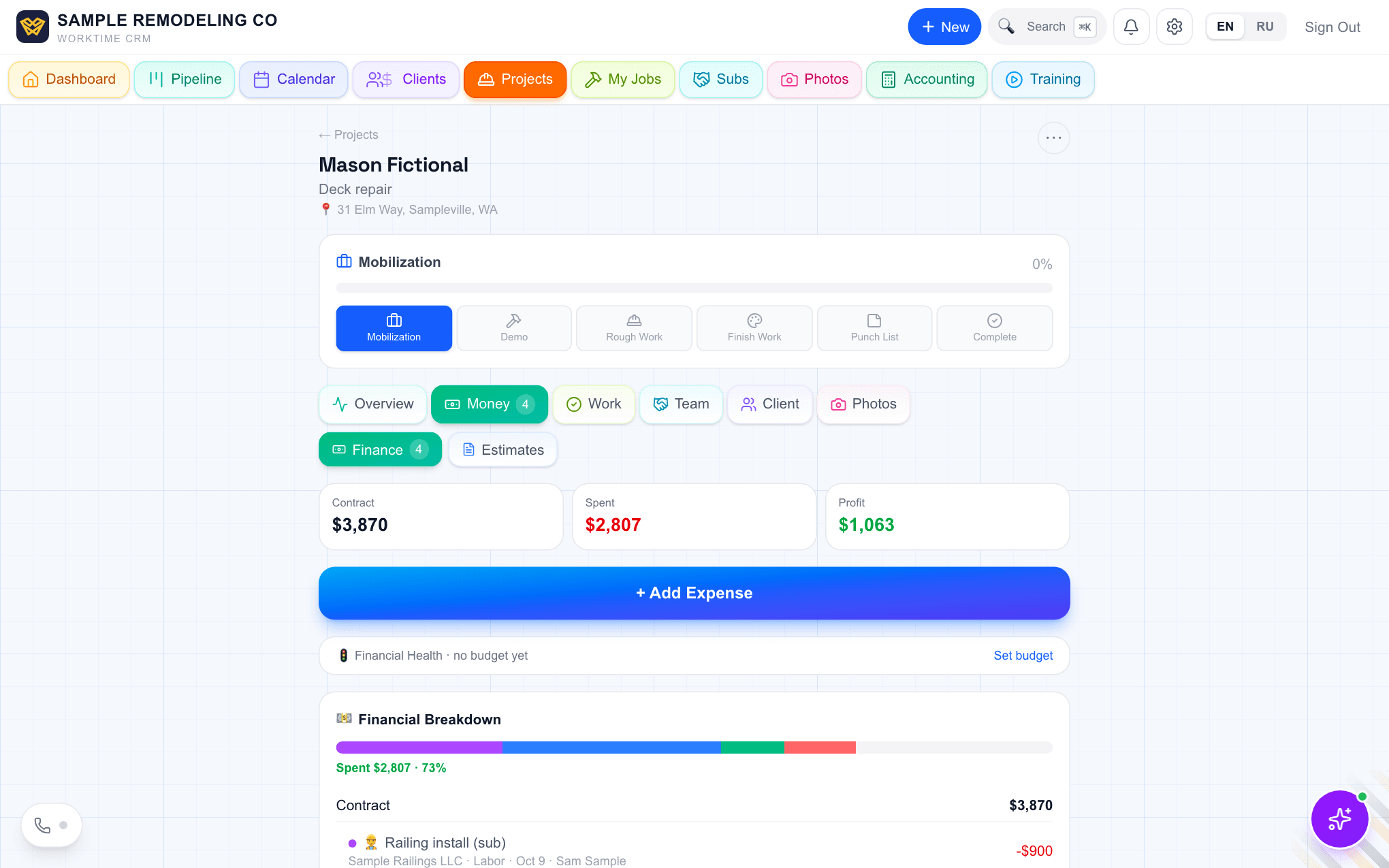
A project opens on its Money tab with three numbers on top: Contract, Spent and Profit. Contract is always the sum of the signed estimates and change orders, so nobody types it in.
Costs land on the job as they happen. Press "Add Expense" to type one, or "Scan Receipt" to shoot it with your phone: the AI reads the vendor, amount and date and creates the expense. A receipt snapped in Receipts & documents, or sent as a photo to the Telegram bot from the store, can be attached to the job afterwards and becomes an expense line there; it is never counted twice. When you mark a sub's invoice paid, the amount goes on the job as a labor expense.
Hours come from the crew: a worker's "Start work" and "Finish work" taps write his hours into "Hours on this project" on the same tab.
Under the numbers is the Financial Health line. Press "Set budget", say how much you want to earn on this job, and a budget is suggested and split into materials, labor and subs from your own past spending. From then on it is a traffic light: green on budget, amber when most of the budget is spent, red when over budget or losing money. It also warns when your own money is in the job, which is the moment to request a progress payment. Red and amber jobs show on the Dashboard too.
For the company as a whole, Your Finances has a Cash gap forecast: which week a job will need your own money, and how much.