Guide for contractors

Get estimates signed online:
know when it was opened, get the yes from a phone

You send the estimate on Tuesday. On Friday you still do not know if the client read it. Calling feels pushy, waiting feels like losing the job. A PDF in an email gives you nothing back: no sign it was opened, no place to sign, no deposit to pay. A signing link fixes all three.

By the WorkTime CRM team ยท Updated October 14, 2026

How it looks in WorkTime CRM ยท Sample data

Northwest Remodel LLC
Clients

A photo or one sentence

Shoot the room on site, or type "master bath, 120 sq ft, full gut"

The AI prices it

Materials, labor and markup at your local rates

Estimate #1042 ยท Anna K.Signed
Tile โ€” floor & walls120 sq ft$2,880
Vanity, install1$1,450
Plumbing fixtures3$960
Total$5,290
๐Ÿ‘ Preview๐Ÿ“ง SendView & Sign
An estimate in WorkTime CRM: the client opens a link, reads the scope and the payment schedule, and signs from a phone

What a signing page needs

Whatever software you use, a page the client can say yes on has five parts:

  • The scope, line by line, so there is nothing to argue about later.
  • The payment schedule: how much at signing, during the job and at the end.
  • The contract terms, available but not burying the total.
  • A date the price is good until. An open-ended price gets shopped around.
  • A signature box that works with a finger. Most homeowners read the estimate on a phone.

Know when it was opened, not just sent

"Delivered" is not "read". What you want is the moment the client lands on the estimate itself, and how many times they come back. A client who opened it three times and has not signed is thinking. A short text that day works better than a call a week later.

How it works in WorkTime CRM

Open the estimate in Estimates and press Send. The email is already written, with the PDF and a "View & Sign" button. Edit it before it goes, or change the default once in Settings โ†’ Estimate Design. No email on file? The SMS tile next to Send texts the same link.

The client opens a branded page: the lines, the payment plan, your terms from Settings โ†’ Contract behind a "View contract" button, your job photos, and a countdown of how long the price is guaranteed (30 days by default, set in Settings โ†’ Estimate Design). They type their name, draw a signature with a finger and press "Sign & Approve".

The card shows "Not opened yet", then "Opened" with the time and the count. Only real visits to the page count, never an email pixel. The estimate header shows Sent, Opened and Signed with the date. A client who opened and did not sign for two days gets a โšก mark on the Pipeline, so you know whom to text today.

On signing you get a Telegram or push alert, the project is created with its stages, and the invoices come out of the payment plan. The client sees the deposit invoice right away.
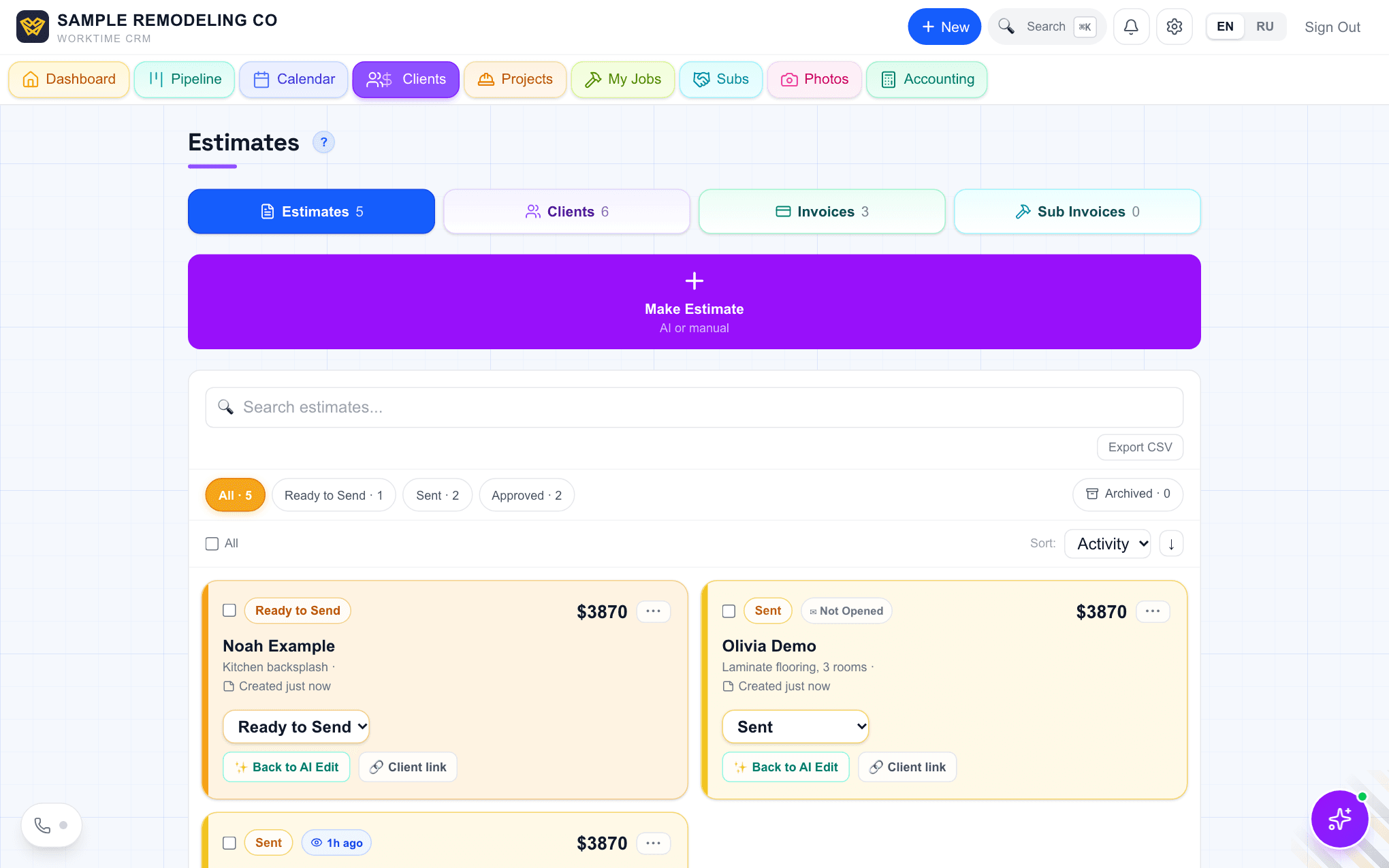
The Estimates list in WorkTime CRM: one estimate ready to send, one sent and not opened, one opened an hour ago
The Estimates list: Sent, Not opened yet, and opened an hour ago. Demo company, made-up people.
Questions

Does the client need an account or an app?

No. The link opens in the phone's browser. They read, sign with a finger and see the deposit invoice.

Is a drawn signature on a phone valid?

Electronic signatures are accepted for most contracts in the US, and the signed copy keeps the full contract text. Whether your state or the job size needs a separate paper contract is a question for your attorney or licensing board.

What does it cost?

Online signing is part of the WorkTime CRM plan: first month free with a card on file, then $99 a month per company. Texting the link from the company number goes through your own Twilio account, which Twilio bills.

WorkTime CRM โ€” leads, estimates and jobs in one app

Built by a working contractor. First month free with a card on file, then $99 a month per company.