Guide for contractors

How to track and pay a day-rate crew without a notebook

Friday afternoon. Two guys want their money, you pay one in cash and one by Zelle, and on Sunday you try to remember: did Dan work Tuesday on the deck, or was that the bathroom? The days live in a notebook, the payments in your banking app, and the job cost in your head. By the end of the job you do not really know what the labor cost you.

By the WorkTime CRM team ยท Updated October 16, 2026

How it looks in WorkTime CRM ยท Sample data

Northwest Remodel LLC
Accounting
Income
$84,300
Expenses
$51,120
Profit
$33,180
Q3 ยท quarterly taxdue Sep 15
Team pay ยท Sep 1โ€“15 ยท 3 people$6,420

Numbers come from real invoices and receipts โ€” nothing is typed in twice.

Accounting in WorkTime CRM: what came in, what went out, and what the team is still owed

Write the day down once, on the day

Whatever tool you use, three rules keep this clean:

  • One line per worker, per job, per day, with his rate. Written the same day, not on Friday from memory.
  • Owed and paid are two different things. A day is owed until you pay it, and the payment says how: cash, Zelle or check.
  • The same day is also the job's labor cost. If you write it twice, in payroll and in the job, sooner or later the two numbers disagree.

Keep the papers next to the money

Decide for each person whether he is a 1099 contractor or a W-2 employee, and keep the form that goes with it: a W-9 for a 1099, a W-4 and an I-9 for a W-2. In January your accountant will ask for exactly that and the year's payouts. If you are not sure which one a worker is, ask your accountant before you pay him.

How it works in WorkTime CRM

Open a project, Team, Crew, and add a worker. A name is enough; the phone is only for texting him a link. On his card press "โœ“ Worked", pick the day and the amount, and save. The first amount becomes his day rate, so next time it is already filled in. With two or more workers on a job, "โœ“ Everyone worked today" marks the whole crew in one tap.

That one tap writes the day in two places: the job's labor cost on the Money tab, and Accounting โ†’ Team Pay as owed, with the job name. The money is counted once. When you pay, pick cash, Zelle or check and press "Paid". A worker with several owed days gets "Pay all".

The card "Crew by the week" in Team Pay shows any week: who worked how many days, on which jobs, and what is still owed. Each person also has a Taxes row: mark him 1099 or W-2 and keep his W-9, or his W-4 and I-9, right there. Those files are private.
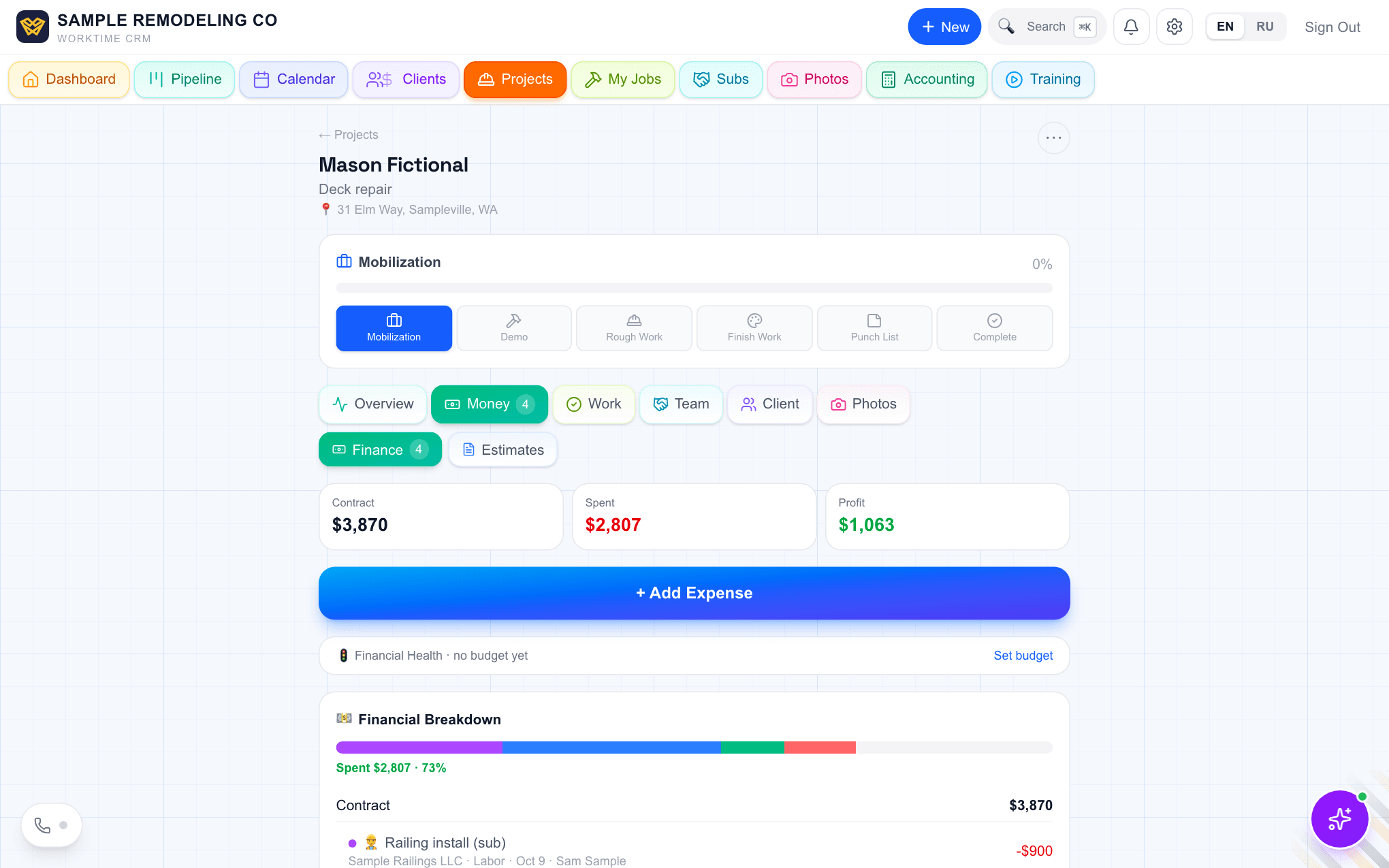
The Money tab of a demo project: contract, spent and profit, and the cost breakdown below
The Money tab of a job: a marked day lands in Spent and Profit by itself. Demo company, made-up people.

Or let the worker tap it himself

Send the worker his personal link. If he is paid by the day, his "Start work" on a job records that day at his rate, with his location on the tap. Same two places, and a day is never counted twice.
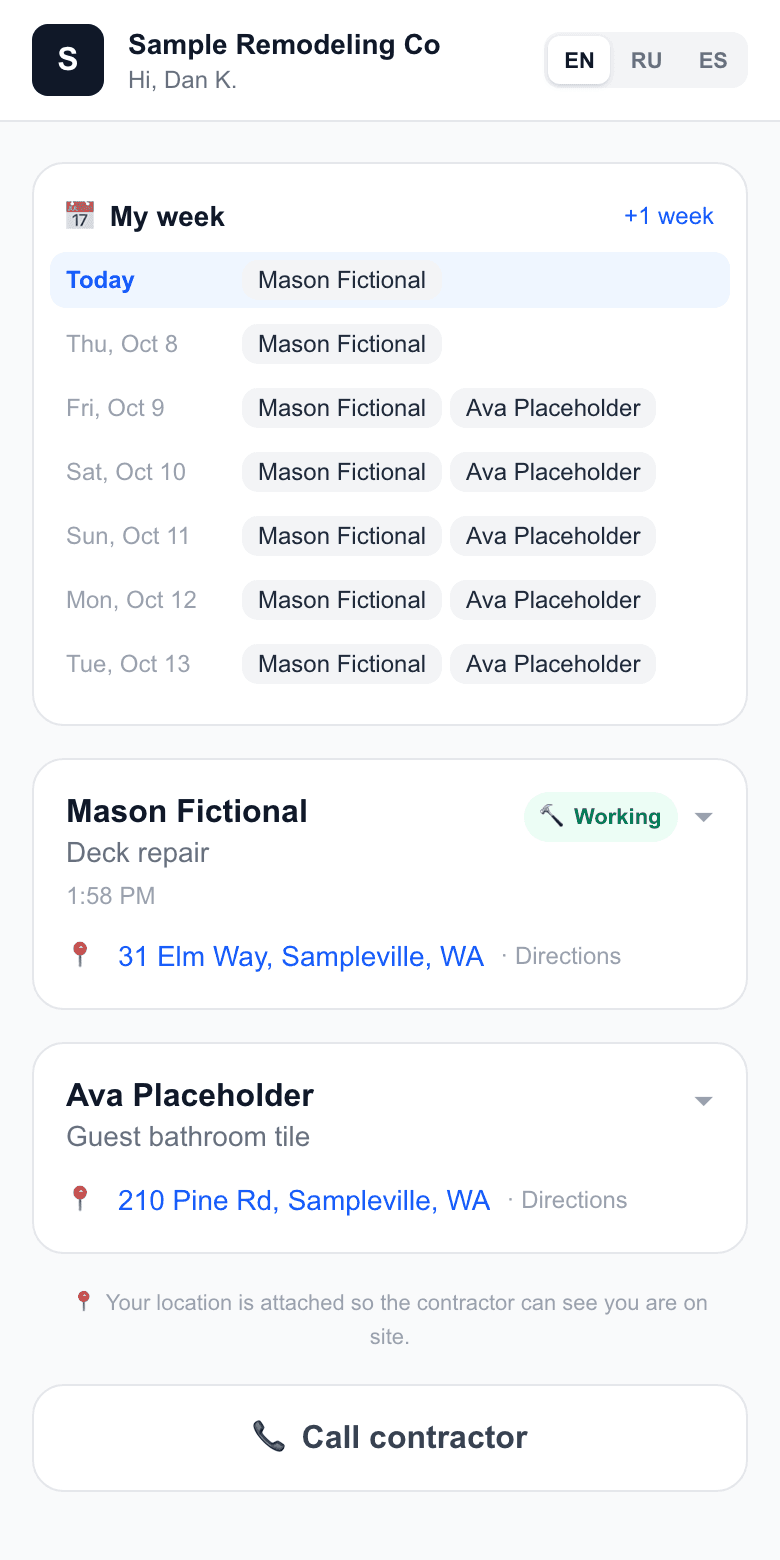
The worker's page on a phone: his week and his jobs
The worker's personal link: his week and his jobs. Demo company, made-up people.
Questions

Does the worker need an account or an app?

No. If you mark the days yourself, he needs nothing at all. If you want him to tap, he opens a personal link in the phone's browser, with no password.

Can I change a day after I saved it?

Yes. Tap the day's amount on his card, for example when he stayed late, and both the job cost and Team Pay follow. An unpaid day can be removed; a paid one has to be un-paid in Team Pay first.

What does it cost?

Crew days and Team Pay are part of the WorkTime CRM plan: first month free with a card on file, then $99 a month per company. A worker on a link does not need a team seat.

WorkTime CRM โ€” leads, estimates and jobs in one app

Built by a working contractor. First month free with a card on file, then $99 a month per company.