Guide for contractors

How to win back a client who said no

The estimate went out, the client said it was too expensive, and the lead went cold. Most contractors never call again. But budgets refill, plans change, and the other contractor sometimes runs late.

By the WorkTime CRM team · Updated October 21, 2026

· views Comments · ·

How it looks in WorkTime CRM · Sample data

Northwest Remodel LLC
Pipeline
New Lead2
Sarah M.
No estimates
Mike D.
No estimates
Schedule Appt1
Olga V.
No estimates
Sent2
Chris P.
$21.5k1 est
Tom B.
$4.1k1 est
🔥 Hot Client1
Anna K.
$12.9k2 est
Approved1
John R.
$8.4k1 est
🔨 Running2
Elena S.
$36.2k1 est
Dan W.
$9.8k1 est
+7 more stages

Drag a card to the next stage — or let a booked visit move it for you. An estimate the client hasn’t answered gets a follow-up email on its own, and you see the moment they open it.

The Pipeline board in WorkTime CRM: a lost client goes to Rejected, and the CRM asks why

Write down why you lost it, then call back at the right time

The reason decides when to call. A short rule of thumb:

  • Too expensive: try again in two and four months. Budgets refill and prices move.
  • Went with another contractor: ask in about six weeks how their project is going. If it slipped, you are the first call.
  • Postponed, or the loan fell through: check in after about three months.
  • Went silent: one light nudge after two weeks, one more later.

Keep the call short and useful

Do not argue about the price. Ask one question: "Is the project still on your list?" Offer something new: a free slot in your schedule, a smaller first step, or a payment plan.

Write the date and the reason down at once. In three months you will not remember either.

How it works in WorkTime CRM

On the Pipeline, move the client to Rejected, by dragging the card or with "Move to". A picker asks why you lost them: Too expensive, Went with another contractor, Postponed, Financing fell through, Ghosted, or Other.

Pick a reason and the CRM puts win-back reminders on your Calendar. For example, "Too expensive" schedules 60 and 120 days, "Ghosted" schedules 14 and 60. Under each reason you can tap the schedule and type your own days. Each reminder has a ready-made angle for the call, and you get a Telegram ping like for any event.

If the client comes back into the funnel, the reason and the pending reminders are cleared automatically. The reason also shows as a badge next to the status on the client card.
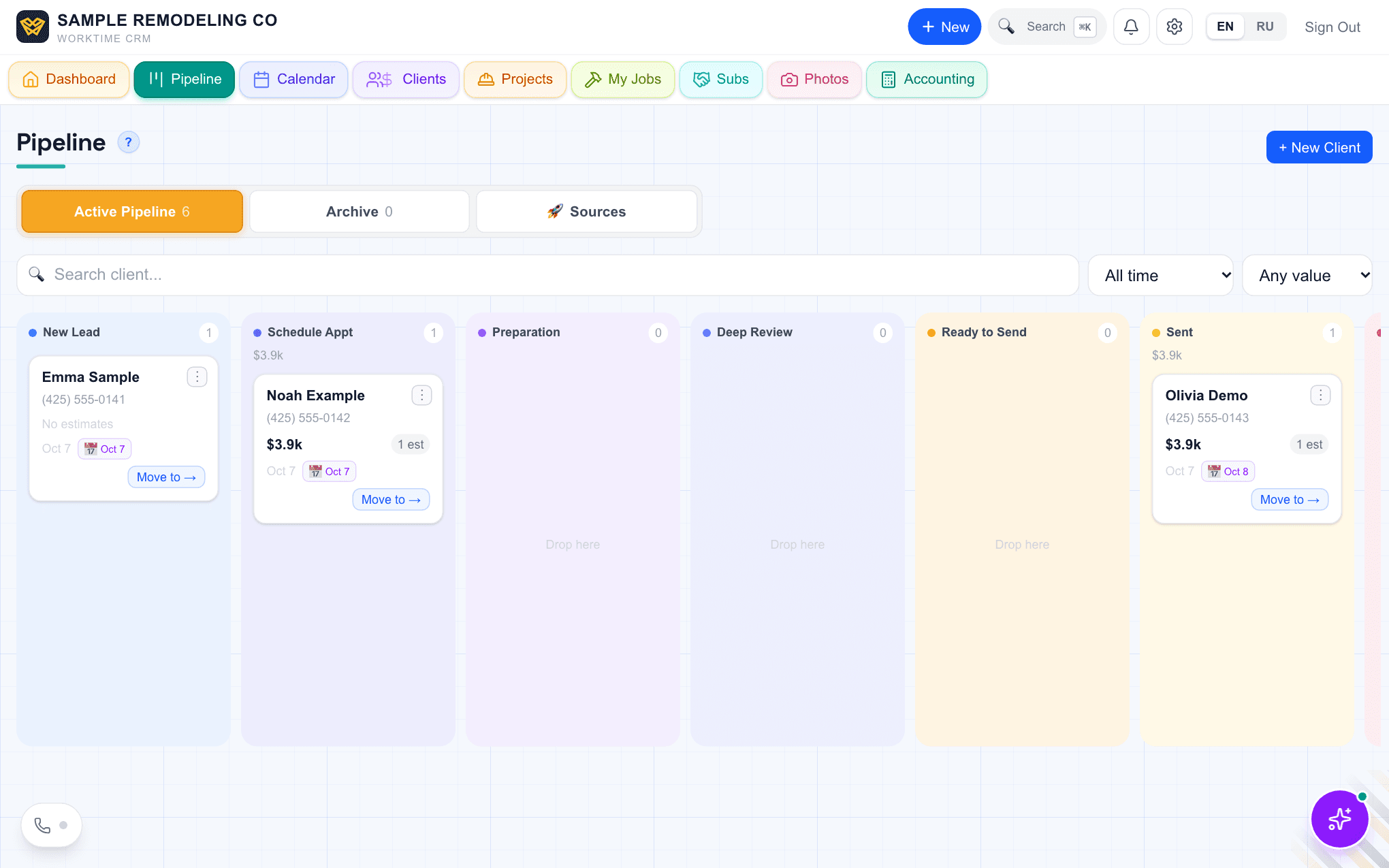
The Pipeline board in WorkTime CRM with client cards in stage columns
Drag a lost client to the last column, Rejected. Demo company, made-up people.
· views Comments · ·

Comments

Comments are public. Ivan reads every one and answers here.

Questions

Can I change the days of the reminders?

Yes. Tap the schedule under the reason and type your own days, separated by commas. It applies to that one client only.

What if I lost the client before I knew about this?

Open the client card and click the reason badge. It reads "Why did you lose them?" for older clients. Pick a reason there.

What does it cost?

The Pipeline and the Calendar are part of the WorkTime CRM plan: first month free with a card on file, then $99 a month per company.

WorkTime CRM — leads, estimates and jobs in one app

Built by a working contractor. 7 days free with a card on file, then $99 a month per company.