Guide for contractors

Turn a client walkthrough recording into a draft estimate

You walk the job with the client for forty minutes. In the truck you remember half of it. At night you type the estimate from memory and forget the closet door they asked for. A recording keeps every detail. The work is turning it into lines.

By the WorkTime CRM team · Updated November 6, 2026

· views Comments · ·

How it looks in WorkTime CRM · Sample data

Northwest Remodel LLC
Clients

A photo or one sentence

Shoot the room on site, or type "master bath, 120 sq ft, full gut"

The AI prices it

Materials, labor and markup at your local rates

Estimate #1042 · Anna K.Signed
Tile — floor & walls120 sq ft$2,880
Vanity, install1$1,450
Plumbing fixtures3$960
Total$5,290
👁 Preview📧 SendView & Sign
Estimates in WorkTime CRM: a draft made from a recorded walkthrough waits here until you read it and send it

Record so the recording is usable

Whatever recorder or phone app you use, a few habits make the text useful later:

  • Say the room before you talk about it: "Hall bathroom."
  • Say sizes out loud: "tub wall, five by eight."
  • Repeat what the client wants and what they do NOT want done.
  • Say who buys the materials, and any deadline or permit.
  • End with one line: "Scope is demo, tile, vanity, glass door."

From the transcript to lines

Read the transcript with a pen. Group it by room. Write each task as a line with a quantity. Anything without a size gets a question mark and a call to the client. Then price it, and read the result before it goes out.

That reading step matters most. A draft is a head start, not a finished estimate.

How it works in WorkTime CRM

Connect your PLAUD recorder once in Settings → Connections → PLAUD. After that, every recording with a transcript lands in the PLAUD Inbox within about 5 minutes.

The AI tells a client meeting from a site visit, a call or a quick idea, and suggests which client it is about. You confirm with one tap. It prepares the scope of work by room, with a "not included" list and questions to clarify.

Press "Open in AI Estimate" and the rooms load into the AI Estimate page one section at a time. You check the lines, press ✨ AI, and the price comes from the trade's catalog and your own pricebook. Nothing is sent to the client. The draft waits in Estimates.
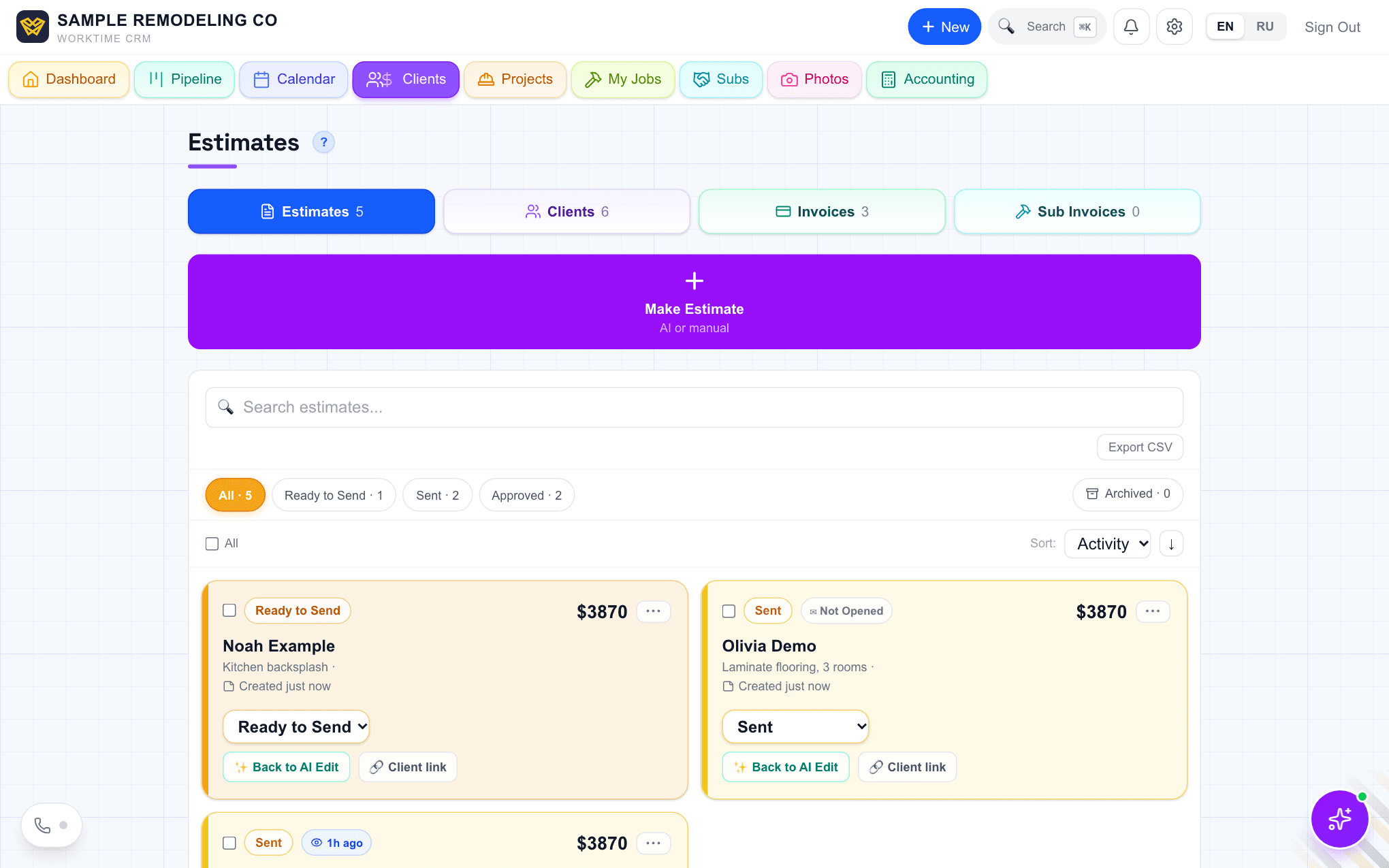
The Estimates list in WorkTime CRM: one estimate ready to send, one sent and not opened, one opened an hour ago
The Estimates list, where your estimates wait for your review. Demo company, made-up people.
· views Comments · ·

Comments

Comments are public. Ivan reads every one and answers here.

Questions

Does the CRM send the estimate by itself?

No. The draft is never sent. You read it, change it and send it yourself.

What about quick ideas I record for myself?

Quick ideas are kept apart and never make client estimates.

What does it cost?

WorkTime CRM is free for 7 days, no card needed, then $99 a month per company. The PLAUD recorder is a separate product with its own account.

WorkTime CRM — leads, estimates and jobs in one app

Built by a working contractor. Free to start, no card needed. The full version is $99 a month per company.