Guide for contractors

A punch list the client can see

The job is 95% done and the calls get worse. The client walks the house and texts you a crooked outlet cover, a paint touch-up and a squeaky door, one message at a time. Two of them get lost. The final payment waits for them.

By the WorkTime CRM team · Updated November 3, 2026

· views Comments · ·

How it looks in WorkTime CRM · Sample data

app.worktimealliance.com/portal/anna-k
Northwest Remodel LLC
Your project — Anna K.
Estimate #1042Signed
Invoice #1 — depositPaid
Invoice #2 — rough-inDue
Pay by card

or Zelle / check

💳 Pay over time — Acorn Finance

The client portal: the schedule, payments and the to-do list, opened by a link, no password

Keep one list, not a thread

  • Write each item as one short line: what, and where. "Touch up paint, hall, left of the door."
  • Add a photo when words are not enough. A picture ends the argument about which wall.
  • Let the client add items to the same list, not to a text thread you scroll through later.
  • Close an item only when it is done, and say so on the list.

Agree on the list before the final payment

Walk the job together once. Whatever is on the list at the end of the walk is the whole list. New wishes become a change order, not a new punch item.

How it works in WorkTime CRM

Put the items on the job under Work → Tasks of the project. A task with a date also lands on the projects calendar.

The client opens the project's portal link and finds a "✅ To-Do" tab with the same tasks. They read in English, whatever language you wrote them in. The price and the assignee are never shown. Your own project notes stay private, and the 👁 eye on a task row hides that task from the client.

Under a task the client can write a correction or attach a photo. You get a ping, the task shows a 💬, and the Work tab carries a red count of the new ones. Your reply there reaches the client in English. Alerts also sit on the notifications page.
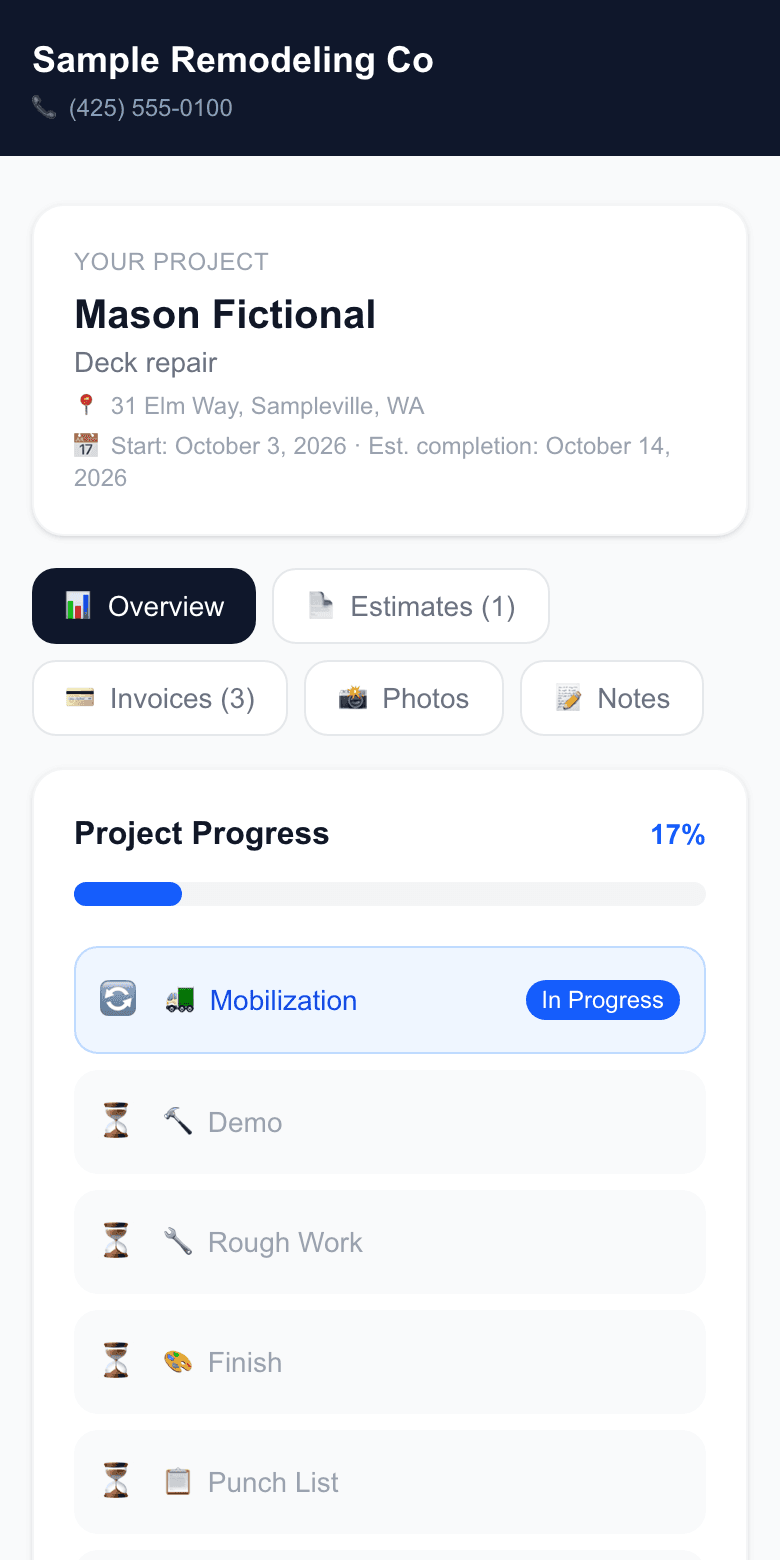
The client portal on a phone: the project, its dates, progress by stage down to the Punch List stage, and tabs for the client
The client portal on a phone, opened by a link. Demo company, made-up people.

One habit that makes it work

At the walk-through, say: "Anything else you see, put it on the to-do page, not in a text." Then answer there too, so the list stays the one place.

· views Comments · ·

Comments

Comments are public. Ivan reads every one and answers here.

Questions

Does the client need an account to see the to-do list?

No. The portal opens from a link with no password and no account.

Can I keep some tasks private?

Yes. The eye on a task row hides it from the client. Your project notes are never shown to them.

What does WorkTime CRM cost?

7 days free, no card needed, then $99 a month per company.

WorkTime CRM — leads, estimates and jobs in one app

Built by a working contractor. Free to start, no card needed. The full version is $99 a month per company.