Guide for contractors

Measure a room with your phone and leave with the quantities counted

You are in a bathroom with a tape measure and a customer who is waiting. You take the walls, forget the window, and at 9 PM in the truck you do the math from a photo of your notebook. Then you drive back, because the vanity wall was never measured. The sizes were all in the room. The slow part is turning them into numbers.

By the WorkTime CRM team ยท Updated October 13, 2026

How it looks in WorkTime CRM ยท Sample data

Northwest Remodel LLC
Clients

A photo or one sentence

Shoot the room on site, or type "master bath, 120 sq ft, full gut"

The AI prices it

Materials, labor and markup at your local rates

Estimate #1042 ยท Anna K.Signed
Tile โ€” floor & walls120 sq ft$2,880
Vanity, install1$1,450
Plumbing fixtures3$960
Total$5,290
๐Ÿ‘ Preview๐Ÿ“ง SendView & Sign
Estimates in WorkTime CRM: the lines come from the rooms you scanned or drew, priced and ready for the customer to sign

What to write down in every room

Scan or tape, an estimate needs the same few numbers per room. Take them before you leave:

  • Floor length and width, and the ceiling height. Wall area is the perimeter times the height.
  • Every door and window with its width. They come out of the paint and the tile, and their casing is a line of its own.
  • What is done where: floor, walls, ceiling, baseboard, cabinets, backsplash, demo. A size with no job attached is useless later.
  • Counts, not guesses: outlets, lights, doors to replace.

How it works in WorkTime CRM

On the Dashboard press "Estimate Photos", pick the customer and press "Scan a room or load a plan". On an iPhone Pro or iPad Pro the window offers "Make a scan": it opens a free scanning app (OpenPlan3D) that uses the phone's LiDAR. Walk slowly around the room with the camera on every wall, press Export, save the plan to Files and come back: "Pick my scan" loads it. The rooms appear on a sheet with their real sizes, doors and windows.

No Pro phone? The same button reads any plan with sizes written on it: a blueprint, the plan from a listing, a hand sketch. Or press "Draw" and drag the rooms on grid paper yourself.

Now tap a room and tick what is done there: the floor, wall and ceiling finish, and under "More work here" the baseboard, casing, doors, windows, cabinets, countertop, backsplash and demo. Outlets and lights are counted with + buttons. Every quantity is counted from the room itself: paint is the walls less the doors and windows. If only part of a wall is done, type over the number. A shower gets its own "Zone" with its own tile; a deck and a roof have lists of their own.
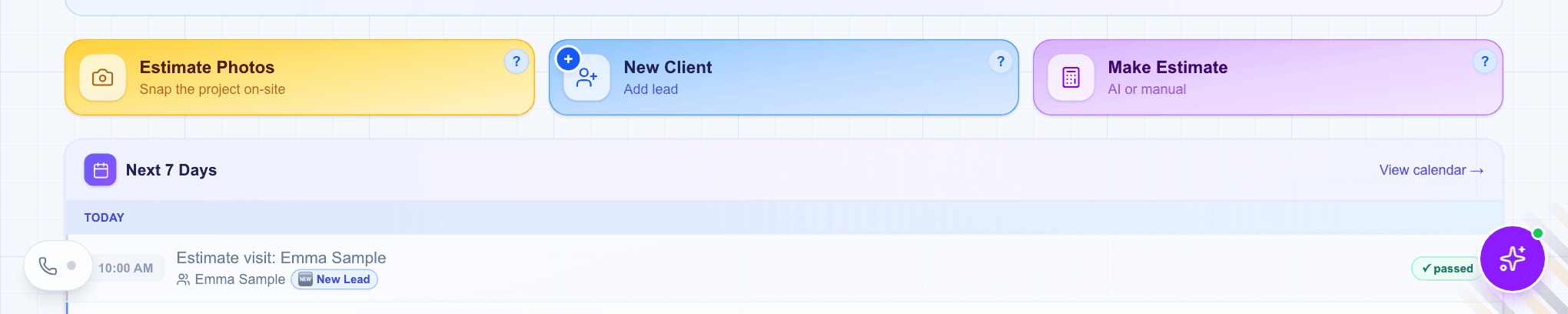
The Dashboard of WorkTime CRM: the Estimate Photos tile next to New Client and Make Estimate
The Dashboard: "Estimate Photos" is where a scan, a plan or a drawing starts. Demo company, made-up people.

From quantities to a priced estimate

The green "Quantities" button shows every room and the total. Press "Done" and "Save and make the estimate": the AI Estimator prices exactly those lines. A price saved in your Pricebook is used as saved. The estimate lands in Estimates; you check it, send it, and the customer signs online. The sheet stays on the customer like a photo, on the Photos page.
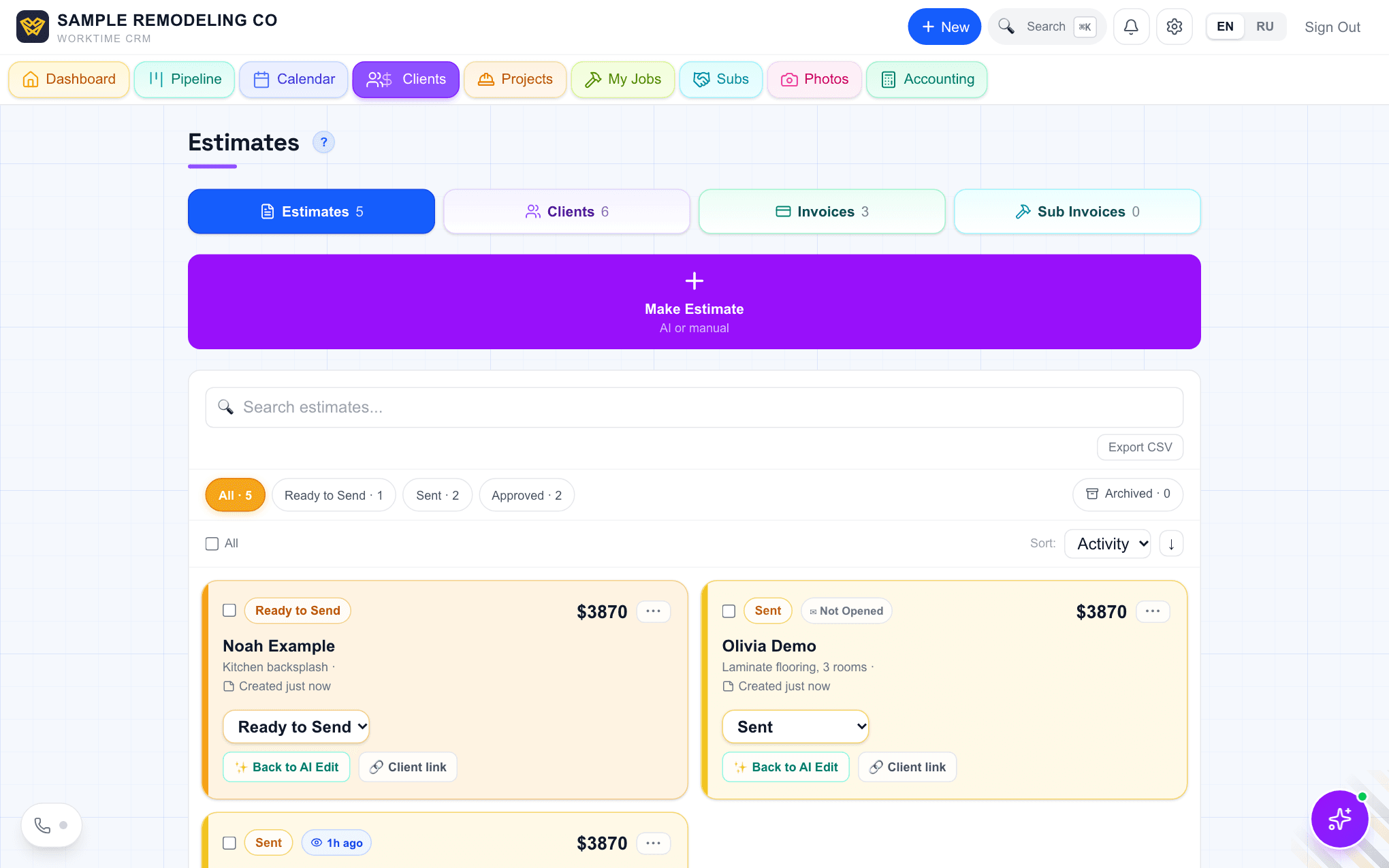
The Estimates page of WorkTime CRM: estimates in Ready to Send and Sent with a Client link on each
The estimate made from the scan sits with the rest, with a client link and a status. Demo company, made-up people.
Questions

Do I need an iPhone Pro?

Only for the scan itself: the LiDAR scanner is in the Pro models. Any phone can load a plan with sizes on it or draw the rooms on the grid. A plain photo of a room does not work, it has no sizes.

Are the sizes from the scan exact?

The plan exported from the scanning app comes in with its sizes as measured; a PDF or a picture of a plan is read by AI and takes up to a minute. Check the rooms on the sheet before you tick the work; any number can be typed over.

Does this cost extra?

No. The scanning app is free and is not ours. Scans, drawing and the estimate are part of the WorkTime CRM plan: first month free with a card on file, then $99 a month per company.

WorkTime CRM โ€” leads, estimates and jobs in one app

Built by a working contractor. First month free with a card on file, then $99 a month per company.