Guide for contractors

Remember every promise to a client

You tell a homeowner, "I will send the numbers tomorrow." Then a leak, a supplier and a sick helper happen. Nobody is angry on day one. By day five the client has called someone who answered.

By the WorkTime CRM team · Updated November 2, 2026

· views Comments · ·

How it looks in WorkTime CRM · Sample data

Northwest Remodel LLC
Calendar
Clients Projects
‹ Sep 8 – 12 ›
MonthWeekDayList
Mon
8
Tue
9
Wed
10
9 AM
Work
Anna K.
Estimate visit
Smith
Work
Anna K.
11 AM
1 PM
Estimate visit
Olga V.
3 PM

Visits booked by the assistant or on your booking page land here by themselves; the green blocks are work days on site. A push on your phone — and Telegram, if you use it — reminds you before each visit.

The Calendar in WorkTime CRM: visits, to-dos and reminders in one place, with a Clients and a Projects view

Four habits that keep promises

  • Write it down the moment you say it. Not in the evening, not "later". Ten seconds in the truck is enough.
  • Give every promise a day and an hour, not just a day. "Thursday morning" gets done. "This week" does not.
  • Keep it in one place. A reminder in your head, one on a sticky note and one in a text thread means you check three places.
  • Look at the list at the same time every day. Morning coffee works. A list you never open is no list.

Set the follow-ups before you forget them

After an estimate visit, an estimate sent, a message with a question: each one needs a next date. If the client goes quiet, the date is what brings you back.

How it works in WorkTime CRM

The Calendar holds visits, to-dos and reminders together. The switch under its title opens the Clients view, or the projects calendar, where you see jobs and your crew.

Some reminders the CRM sets for you. After a visit it puts "Estimate due" on the calendar, after you send an estimate it adds a follow-up, and a client you mark Rejected gets win-back reminders. The waits, in days, are set in the Calendar & reminders card. The same card has quiet hours and a switch to skip Sunday reminders.

Every alert the CRM sends you is also filed behind the bell in the top bar. If you swiped a push away, the copy is on the notifications page.
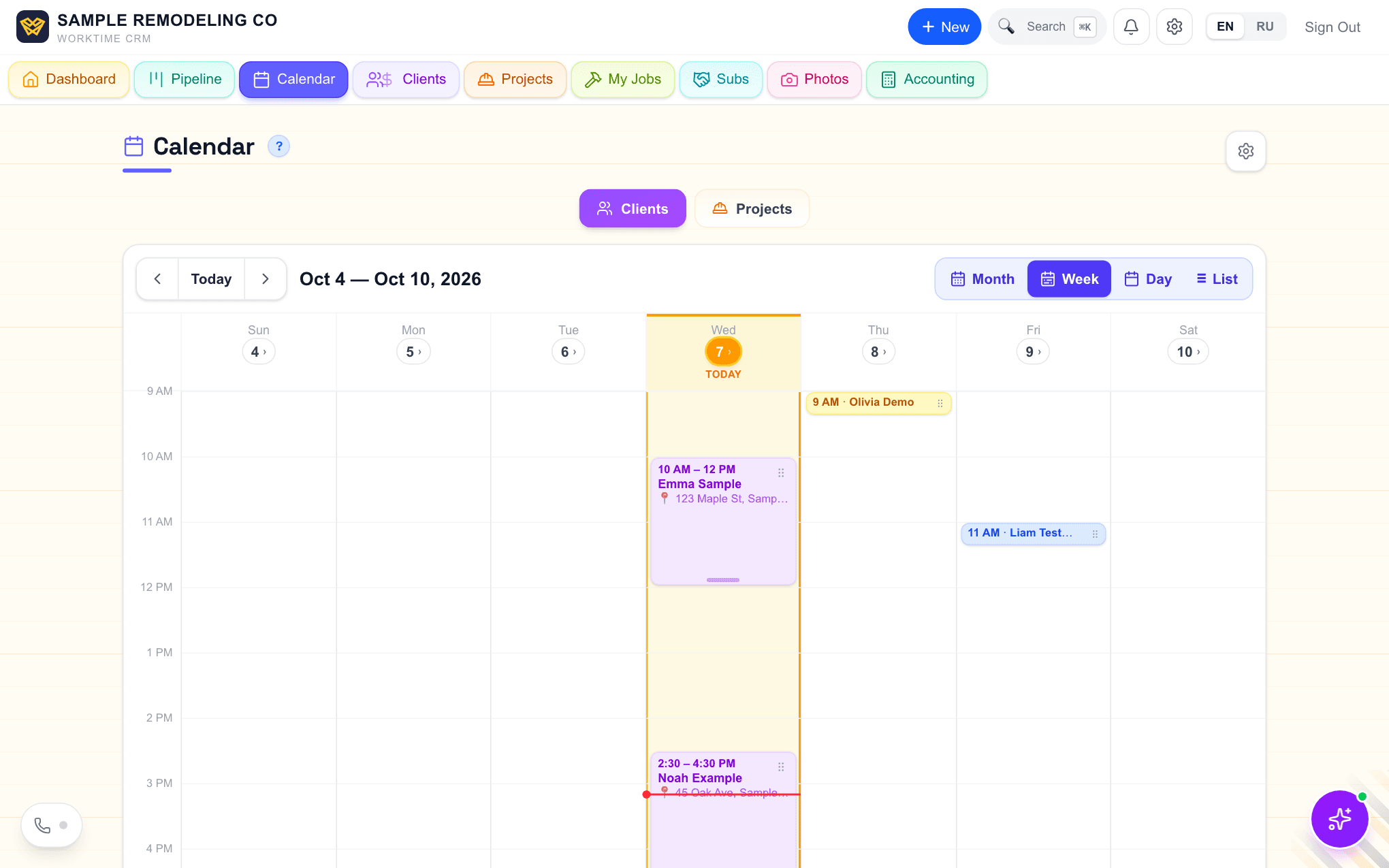
The Calendar of WorkTime CRM in Week view, with the Clients and Projects switch under the title
The Calendar: a Clients view and a Projects view. Demo company, made-up people.
· views Comments · ·

Comments

Comments are public. Ivan reads every one and answers here.

Questions

Can I turn off reminders at night?

Yes. Set quiet hours in the Calendar & reminders card, and no Telegram notifications reach you between those hours.

Does the CRM remind me to follow up after an estimate?

Yes. After a sent estimate it adds a follow-up to the calendar. The default wait is 2 days, and you can change it.

What does WorkTime CRM cost?

7 days free, no card needed, then $99 a month per company.

WorkTime CRM — leads, estimates and jobs in one app

Built by a working contractor. Free to start, no card needed. The full version is $99 a month per company.