Guide for contractors

The client did not show for the estimate visit:
what to do next

You drove 40 minutes. The door stays shut, the phone goes to voicemail. It happens to every contractor. The real loss comes later: the visit sits on your calendar as if it happened, and nobody ever re-books it.

By the WorkTime CRM team · Updated November 1, 2026

· views Comments · ·

How it looks in WorkTime CRM · Sample data

Northwest Remodel LLC
Calendar
Clients Projects
‹ Sep 8 – 12 ›
MonthWeekDayList
Mon
8
Tue
9
Wed
10
9 AM
Work
Anna K.
Estimate visit
Smith
Work
Anna K.
11 AM
1 PM
Estimate visit
Olga V.
3 PM

Visits booked by the assistant or on your booking page land here by themselves; the green blocks are work days on site. A push on your phone — and Telegram, if you use it — reminds you before each visit.

The Calendar in WorkTime CRM: every visit is a block on the week, and a visit that has ended gets asked about

What to do in the first hour

  • Wait ten to fifteen minutes. Traffic and a late babysitter are more common than a ghost.
  • Send one short text, not three. Say you are at the address and ask if they want to move it.
  • Write down what happened right away: "no-show, texted, 4:15 PM". By Friday you will not remember.

Re-book the next day, not next week

Most people who miss a visit are embarrassed, not gone. A friendly text the next morning with two new time slots gets more answers than waiting for them to call. Offer two choices, not "whenever works".

Hi Emma, I came by at 10 and we missed each other. No problem. Would Tuesday at 11 or Wednesday at 2 work for a quick look at the kitchen?

Do not leave the dead visit on the calendar

A visit that never happened but still shows as booked makes your week look fuller than it is, and it blocks hours you could sell. Close it, then book the new one.

How it works in WorkTime CRM

An hour after an estimate visit ends, and while the client is still before the Preparation stage, the CRM asks once: "Did the visit happen?" The question comes in your personal Telegram chat with Yes, No and Reschedule buttons, as a push, and as a violet card at the top of the Calendar and the Dashboard until you answer.

Press No and the visit closes as a no-show. The CRM sets a "Re-book the visit" reminder for the next day, so the follow-up text from the list above does not depend on your memory. Press Reschedule and the visit opens so you can move it. Press Yes and the visit closes, the client moves to Preparation and an "Estimate due" deadline appears.

A client who has already moved forward in the Pipeline is never asked.
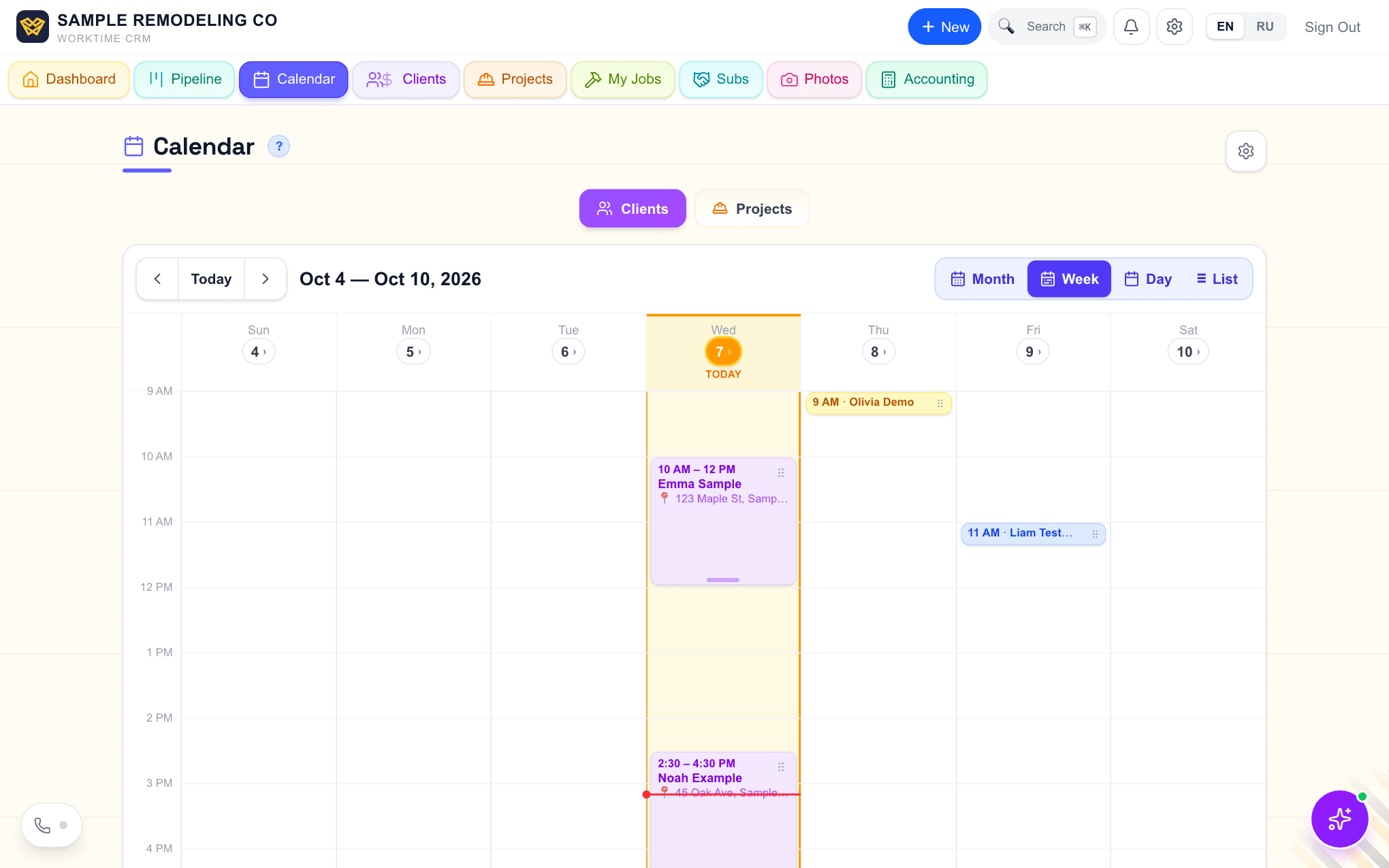
The Calendar in WorkTime CRM in Week view: visits as blocks on an hour grid, today in amber with a red line for the current time
The Calendar: every visit is a block on the week. Demo company, made-up people.
· views Comments · ·

Comments

Comments are public. Ivan reads every one and answers here.

Questions

Does the CRM text the client for me when they no-show?

No. It closes the visit and sets a re-book reminder for the next day. The text to the client is yours to send.

What if I never answer the question?

The card stays at the top of the Calendar and the Dashboard until you answer it.

What does WorkTime CRM cost?

First month free with a card on file, then $99 a month per company.

WorkTime CRM — leads, estimates and jobs in one app

Built by a working contractor. 7 days free with a card on file, then $99 a month per company.