Guide for contractors

A booking link for estimate visits:
let clients pick the time themselves

"Can you come Thursday?" "Morning or afternoon?" "After 3." "I have 4:30 or Friday at 10." By the fifth text the homeowner has stopped answering. Agreeing on a time is the slowest part of a new lead, and it can happen without you.

By the WorkTime CRM team · Updated November 27, 2026

· views Comments · ·

How it looks in WorkTime CRM · Sample data

Northwest Remodel LLC
Calendar
Clients Projects
‹ Sep 8 – 12 ›
MonthWeekDayList
Mon
8
Tue
9
Wed
10
9 AM
Work
Anna K.
Estimate visit
Smith
Work
Anna K.
11 AM
1 PM
Estimate visit
Olga V.
3 PM

Visits booked by the assistant or on your booking page land here by themselves; the green blocks are work days on site. A push on your phone — and Telegram, if you use it — reminds you before each visit.

The Calendar in WorkTime CRM: a visit a client booked through your link lands here by itself

Why the back-and-forth costs you

A homeowner is ready to book at the moment they write to you. Every hour of "what time works?" gives them a reason to ask someone else.

A booking link turns that into one step. They see your free hours, tap one, and the visit is set. You stay on the ladder.

Set the rules before you share a link

  • Offer only real visit hours. If you never do estimates on Sunday or after 5, the page should not show them.
  • Count the whole visit. Driving, measuring and talking is often two hours, not one.
  • Ask for little: name, phone, address. A long form loses people.
  • Close time off the same day you learn about it. A booking on your day off is worse than no booking.
  • Put the link where people already are: your night text reply, your website, your Google profile, your email signature, the truck.

How it works in WorkTime CRM

Online booking is on for every company from the first day. Your link is already on the Online Booking card: copy it. If you do not want it, switch it off on the same card.

The hours a client sees come from the Visit schedule at the bottom of that card: visit days, working hours, how long one visit takes (1 to 4 hours, 2 by default) and how many visits can run at once. A live preview shows the exact times before you save.

The client opens the link, picks a free time and types a name, phone and address. The CRM checks the slot again and puts the visit on your Calendar. The client's card moves to "Schedule Appt" on the Pipeline and you get a notice. If you have a number for texts, the client gets a confirmation text.

The card gives two addresses for the same page: a long one, and a short one built from your public profile handle. The short one is easy to read out on a call or print on a card. When you text the link, the preview shows your logo and company name.
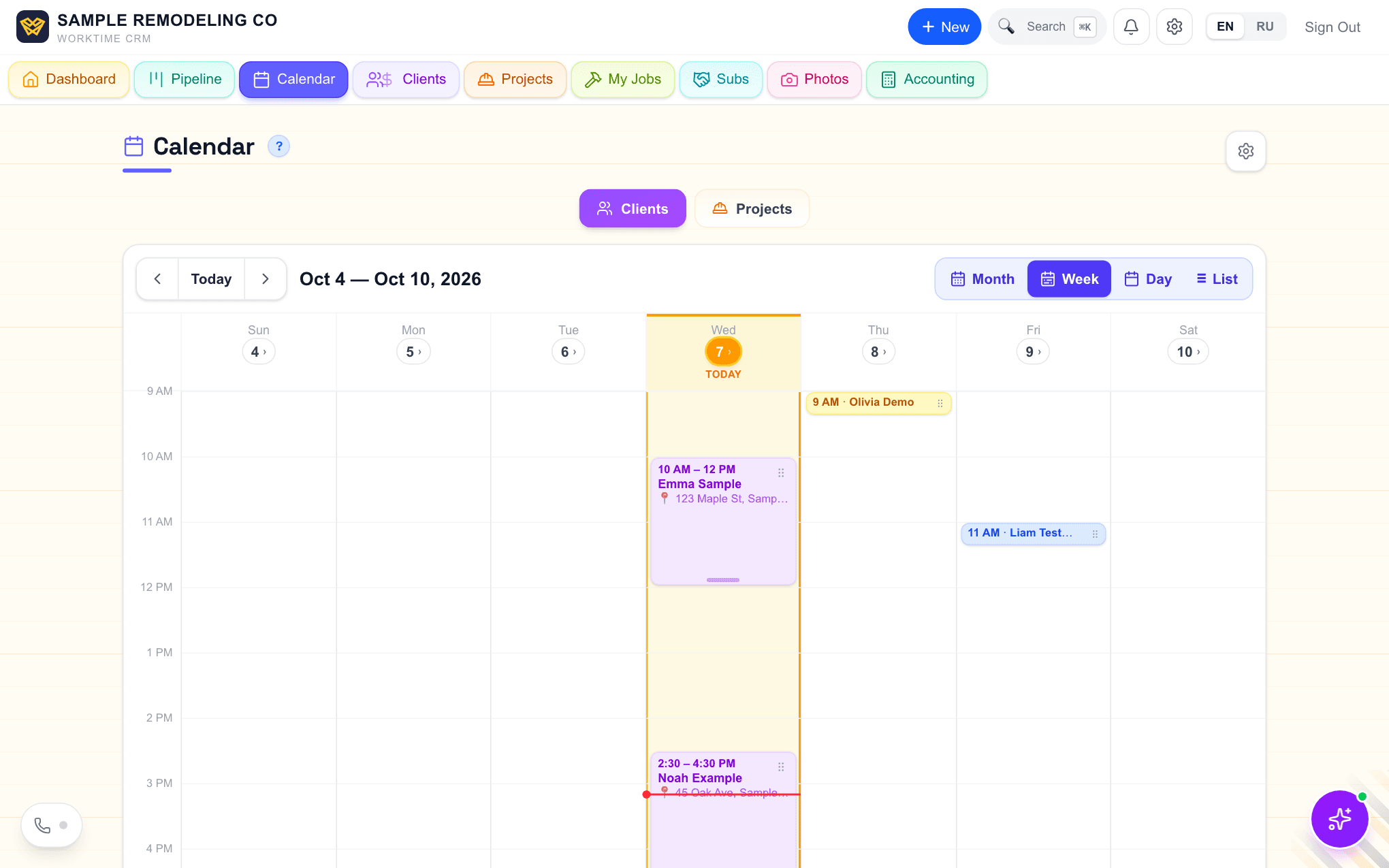
The Calendar of WorkTime CRM in Week view: visits drawn as blocks on an hour grid from 9 AM, with the client name and address on each
The Calendar, Week view. A visit booked through your link appears here as a block of its full length. Demo company, made-up people.
· views Comments · ·

Comments

Comments are public. Ivan reads every one and answers here.

Questions

Can two clients book the same hour?

Not unless you allow it. The page offers only free times, the slot is checked again when the client confirms, and a booked visit holds its full length. "Visits at the same time" in the Visit schedule sets how many can overlap.

How do I keep clients from booking a day I am away?

Open the Calendar, press the gear beside the title and choose "Block time". Those hours stop being offered on the booking page right away.

What does WorkTime CRM cost?

7 days free, no card needed, then $99 a month per company.

WorkTime CRM — leads, estimates and jobs in one app

Built by a working contractor. Free to start, no card needed. The full version is $99 a month per company.